 SampattiTrack
Budgets and goals
Add a budget to cap spending in your expense categories, and add a goal to track a savings target with a date and a monthly contribution.
Set a budget
A budget is a spending limit for one or more expense categories over a month, quarter or year. SampattiTrack compares your actual spending in those categories against the limit.
- On Home, tap Add, then Budget ("Category spending limit"). You can also open More, then Budgets, and tap the add button.
- Enter the Budget Limit amount.
- Tap + Add Category and choose one or more expense accounts, such as groceries or dining.
- Under Budget Period choose Monthly, Quarterly or Yearly.
- Tap Create Budget.
Read and change a budget
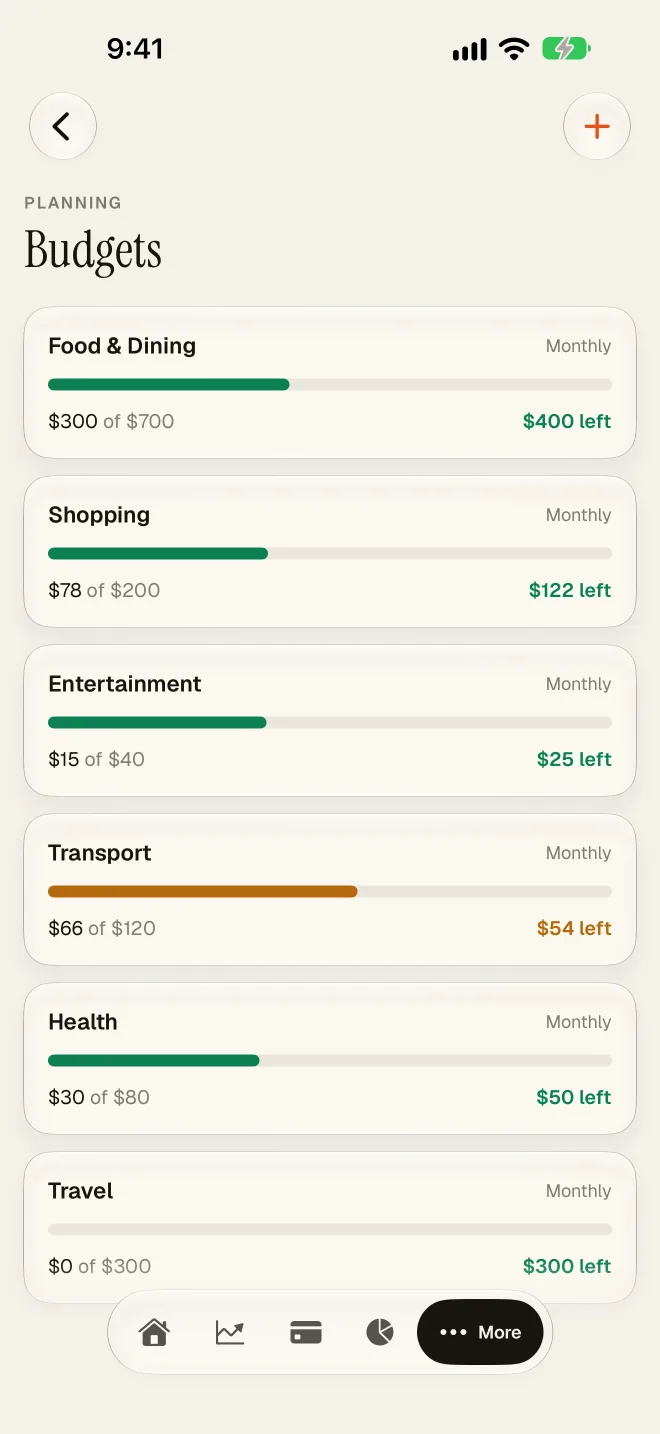
Open More, then Budgets. Each budget shows what you have spent against its limit, so you can see how much is left. Spending counts automatically as you log transactions to the budgeted categories; there is nothing to enter twice. To edit or remove a budget, open it from the list and use the edit or delete option.
If you track a category with a budget, keep the category consistent. Logging coffee sometimes under Food and sometimes under Dining splits the total and makes both budgets look healthier than they are. If you are unsure which method suits you, see the budgeting article linked below.
Create a goal
A goal is a savings target with a date, such as an emergency fund or a down payment. SampattiTrack projects whether you are likely to reach it.
- On Home, tap Add, then Goal ("Savings target milestone"), or open More then Goals and tap the add button.
- Enter the Target Amount and a Goal Name, such as "Emergency Fund".
- Choose a Goal Type: Savings, Retirement, Purchase or Debt Payoff.
- Set the Target Date, what you have saved so far under Current, and your Monthly SIP contribution if you save a fixed amount each month.
- Tap Create Goal.
What the likelihood means
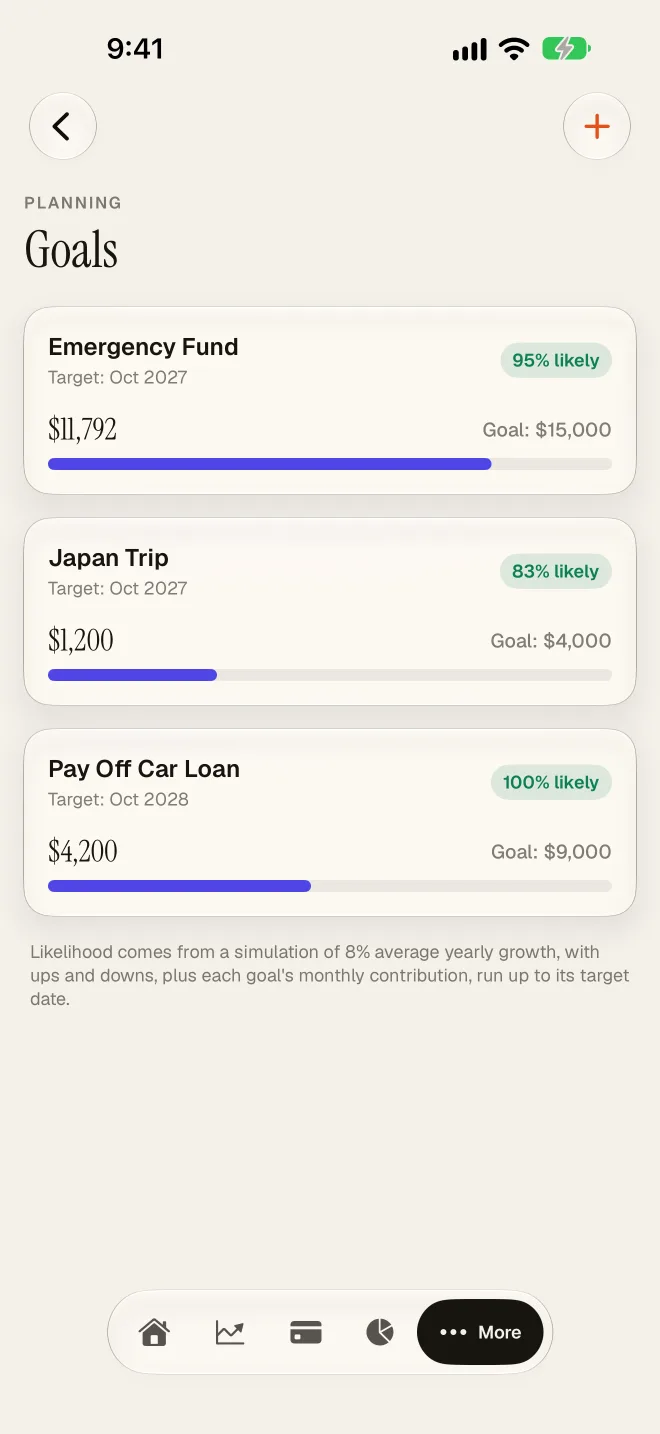
Each goal shows a percentage such as "72% likely". It comes from a simulation of 8% average yearly growth, with ups and downs, plus the monthly contribution you entered, run up to the target date. It is a planning aid, not a prediction or a promise. Raising the monthly contribution or moving the date out will raise the number; if it looks low, try both and see which is realistic for you.
Tips
- Start with fewer budgets than you think you need. Rent, food and transport usually explain most of your spending.
- Review a budget at the end of the period, then adjust the limit to what is realistic rather than what you wish.
- Update a goal's Current amount when you add savings outside the app, so the likelihood stays honest.
- Budget limits and goal targets use your default currency, which you can change in Settings.
Still stuck? Email [email protected] and include your iOS version and the app version.