 SampattiTrack
Credit cards and bills
A card is a liability: record purchases as expenses paid from the card, then record the bill as a payment from your bank, and set due dates for reminders.
Why a card is a liability
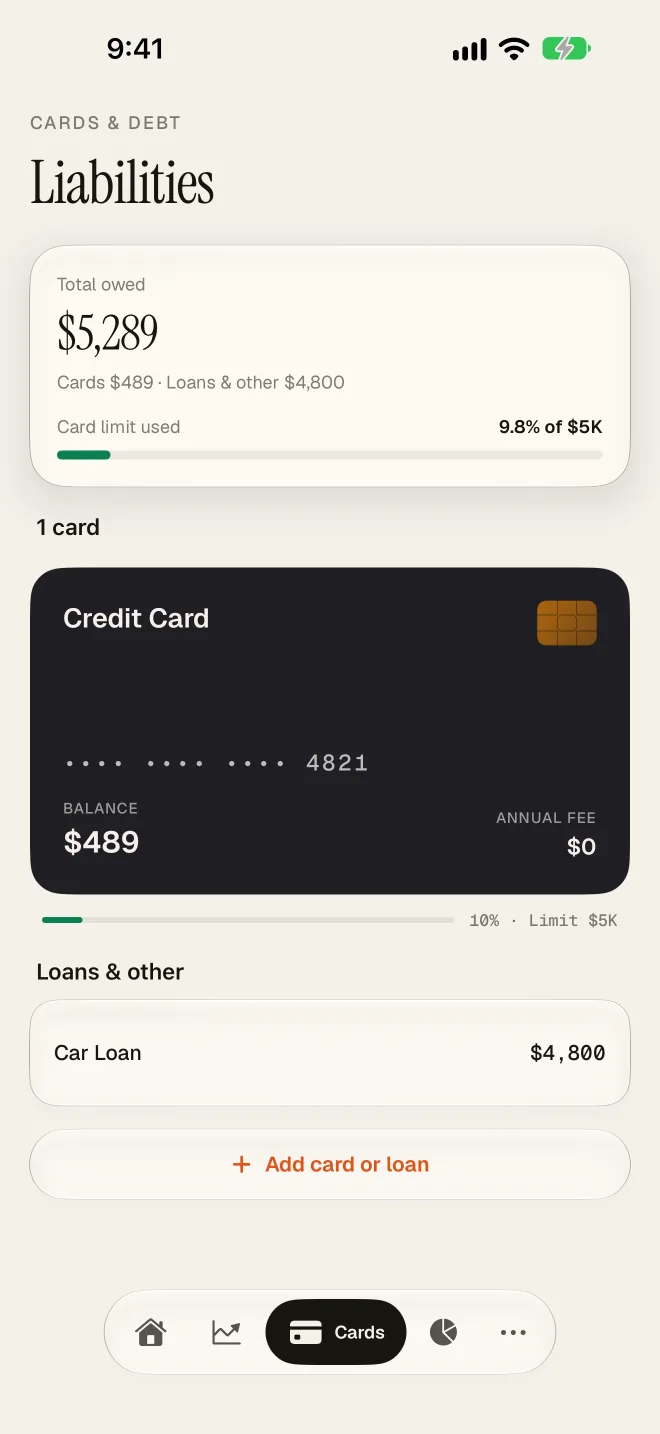
A credit card is money you owe, so SampattiTrack records it as a liability, not as an account that holds money. Spending on the card does not reduce your bank balance. It increases what you owe the card. Your bank balance only falls when you pay the bill. This is why net worth does not drop twice, once at the swipe and once at the payment.
Add a card
- Open the Cards tab and tap Add card or loan.
- In the New Account sheet, enter the account name and choose the Liability category.
- Under What is this account? choose Credit Card.
- Fill in Credit Limit, Statement Day and Due Day (each day is 1 to 31). These drive the billing cycle and the due date.
- Tap Create Account.
Record a purchase
A purchase is an expense paid from the card. Tap Add then Transaction, keep the kind as Expense, and for Paid From choose your card account. Pick the category, such as dining or travel. The same works with Quick Log on Home: choose the card under Paid From.
The amount goes into the category for your spending reports, and the card balance owed goes up.
Pay the bill
Paying the bill is a transfer from your bank to the card, not an expense. If you log it as an expense, you count the same spending twice.
- Open the Cards tab and tap your card.
- Check the balance, the billing cycle and the Due Date.
- Tap the pay button, which shows the amount due. The Record Payment sheet opens.
- Confirm the Payment Amount and choose the account under Pay From.
- Save. The card balance owed goes down and the bank balance goes down by the same amount.
You can also pay from More, then Bills & Obligations: open the upcoming card bill and tap Pay & Record.
The payment only records what happened. It does not move real money. Pay your bill with your bank or card app as usual, then record it here.
Get bill reminders
SampattiTrack can remind you before a card payment or bill is due. Allow notifications when asked, or open the bell icon on Home and tap Enable. If notifications were refused, switch them back on in iOS Settings under SampattiTrack, then Notifications. The reminder uses the due day you entered for the card, so keep it correct. Open the app now and then so reminders stay up to date.
Check the numbers
- The balance on a card shown as owed is what the bank has billed plus what you have spent since. It should match your card app when the dates line up.
- If it does not, compare the transactions one by one with your statement. A missing or duplicate entry is the usual cause, and a bill payment recorded as an expense is the second.
- If you import statements, see Import a CSV statement. Card statements treat an unsigned amount as a purchase.
Still stuck? Email [email protected] and include your iOS version and the app version.